Saturday, August 09, 2008
IRDA transfers
Tried IR transfers to the Toshiba e400 - data goes at 56 kbps from phone to PDA - 250 kByte file takes 45 seconds.

Tuesday, August 05, 2008
Using Transcend JF220 with Linux
Another of A2's gifts was a Transcend Jetflash JF220 8 GB USB Flash drive - TS8GJF220
In order to use it with Linux and the iBook, had to run through some hoops because of its integrated finger-print reader. First, tried the partitioning techniques suggested in places like here, but fdisk on linux just showed the drive as having 10 MB. Learned that this was the "public" partition, and that I would have to repartition the drive's "public" and "private" areas using the Repartition tool given on CD, which works only on Windows. And for that to work, I have to go through a Wizard and submit my fingerprint! Struggled for a while with the fingerprint, since the sensor seemed to be sensitive to orientation (or maybe my finger-prints are not well-defined). Got through after 10-20 tries. After the repartition, when I made the "private" area the minimum possible 50 MB and the rest as "public", the iBook and Linux recognize the 7.5 GB space in the drive without any problem.
Now I have to try the Windows method of disabling auto-insert notification to prevent the fingerprint software from running in Windows. Unfortunately, the Win98 method doesn't work with XP. The fingerprint stuff is in a partition which is recognised as a CD-ROM - formatted cdfs. Can't even remove it.
Edit: Did the autoplay disabling with the Group Policy method mentioned here and as a comment here.
In order to use it with Linux and the iBook, had to run through some hoops because of its integrated finger-print reader. First, tried the partitioning techniques suggested in places like here, but fdisk on linux just showed the drive as having 10 MB. Learned that this was the "public" partition, and that I would have to repartition the drive's "public" and "private" areas using the Repartition tool given on CD, which works only on Windows. And for that to work, I have to go through a Wizard and submit my fingerprint! Struggled for a while with the fingerprint, since the sensor seemed to be sensitive to orientation (or maybe my finger-prints are not well-defined). Got through after 10-20 tries. After the repartition, when I made the "private" area the minimum possible 50 MB and the rest as "public", the iBook and Linux recognize the 7.5 GB space in the drive without any problem.
Now I have to try the Windows method of disabling auto-insert notification to prevent the fingerprint software from running in Windows. Unfortunately, the Win98 method doesn't work with XP. The fingerprint stuff is in a partition which is recognised as a CD-ROM - formatted cdfs. Can't even remove it.
Edit: Did the autoplay disabling with the Group Policy method mentioned here and as a comment here.
New toy - Toshiba e400 PocketPC
A2 gave me a Toshiba e400 PocketPC. Loaded eBook readers, video players into it. Tech specs are:
Here are the usage notes.
Intel PXA261 @ 300 MHz.
64 MB RAM, 16 MB ROM.
SD-card slot (512 MB card loaded).
16 bit colour TFT 240 x 320 pixels, 3.5 inches.
Microsoft PocketPC Ver. 4.20.1081 (2003, I think).
Here are the usage notes.
- Removing the SD-card - According to the manual, you must shut off the PocketPC before removing the SD card. Also, in my experience, to prevent File Explorer from hanging, navigate to some other folder or the root folder (My Device) before putting off the device and removing the card, then put on the device to check that the card has been "unmounted". Later, if the card is put back (again, with the device switched off) File Explorer will then remount the card and show the new contents correctly. Maybe using "Stop All" in Settings -> System -> Memory -> Running Programs is also useful.
- Installing programs without the USB cable - Those programs for pocketpc which are available as CAB files installed quite well, just by copying to SD card and clicking on them from File Explorer.
- PDF readers - PocketXpdf does not have text reflow. Had problems with Foxit reader - it installs an installer(!) from the CAB file, which is not recognised as a PocketPC executable. Will have to try Adobe Reader using the convoluted technique of running the install with ActiveSync, copying out the CAB files created and so on.
- Video players - Tried TCPMP and PocketMVP from PocketPCFreewares.com. TCPMP seemed to have the best performance and seemed the most tweakable. The Windows Media Player which is already installed plays wmv files quite well.
- Ebook Readers - Successfully installed iSilo and Mobipocket readers. The Pocket Word and Pocket Excel which are also installed are also useful. I specially like iSilo's scrolling along with a finger touch-drag on the screen. iSilo supports pdb and txt, Mobipocket supports html and prc, Pocket Word reads doc, but did not work with an RTF exported from Google Docs. Mobi had trouble with a large html file (BattleStar Galactica novel, 540 kB single html file) saying insufficient memory, but read a H2H issue, 557 kB, fine. This was converted from pdf to html with libprs500. Both files read with the Pocket IE installed, but the novel had formatting problems due to margins which were too large.
Tuesday, July 29, 2008
flickr versus picasaweb
A posted some pictures on Flickr, and seeing the slideshow was a waiting experience: "Loading...." Something of a contrast with the slideshows on Google photos - Picasa web albums. Checked with ethereal. Found that pix used by Flickr are 300 kB average size per pic, while Google's pix are one-third the size. Bandwidth usage for Flickr slideshow at 1 second per pic was touching 1 Mbps easily and still managed to show the "loading" progress bar on occasion.
Monday, July 28, 2008
phplist bounce processing
Once again, found that the phplist bounce processing had stopped. Reason was probably an aborted bounce process run, which I'd started from the web-based link. When trying to run from commandline now, it said
A process for this page is already running and it was still alive 305 seconds agoand refused to run from commandline. Went back to the web-based link from the admin section, this time it said
Running commandline, quitting. We'll find out what to do in the next run.
A process for this page is already running and it was still alive 461 seconds agobut after 20 sec, started processing afresh. But this is somewhat risky when running from a remote machine, because the connection may break during the hour or so taken for processing. The best thing, then, would be to either
Sleeping for 20 seconds, aborting will quit
- run the bounce processing as a cron job (like we do), or
- when troubleshooting, run from inside a screen console, detach the screen when not actively monitoring it, or
- run the web-based link from a local X console, or
- run the web-based link from a VNC X console running on localhost.
Saturday, July 19, 2008
tips from gizmo - print folder contents and boot safe mode
Gizmo's Tech Support Alert Newsletter is now merging with Windows Secrets, and in his last issue, Gizmo gave a few good tips.
To add the print directory feature to Windows Explorer, follow these steps:He notes that this is adapted from Microsoft's knowledgebase.
a) Open Notepad and then copy and paste the following text into Notepad:
@echo off
dir %1 /-p /o:gn > "%temp%\Listing"
start /w notepad /p "%temp%\Listing"
del "%temp%\Listing"
exit
b) Save the file as Prin.bat in the Windows directory, and then close Notepad.
c) Start Windows Explorer, click Tools, and then click Folder Options.
d) Click the File Types tab, and then click File Folder. d1)Click Advanced (this step added by Gizmo)
e) Click Edit, and then click New.
f) In the Action box, type Print Directory Listing.
g) In Application used to perform action, click Prin.bat, and then click OK.
h) Click OK, click Apply, and then click OK.
Now Open Windows Explorer, right-click the folder that you would like to print a directory listing of, and then click Print Directory Listing.
...completely reliable way of booting into Safe Mode and that's by using the MSConfig Utility. This tip is not only useful getting problem USB keyboards into Safe Mode but also for folks who have trouble getting their timing right when pressing the F8 key during the boot sequence.This is especially useful for people like me in multi-boot environments.
Press Start/Run and type msconfig into the run box and press Enter. When MSConfig starts, click the BOOT.TAB and put a check mark against /SAFEBOOT. Next time you boot, Windows will automatically start in Safe mode without any need to press F8. Remember later to take out the check mark otherwise your PC will always boot in Safe Mode.
gmail loading problem
R had a problem with his gmail account - it was stuck on the loading screen, refusing to go to standard view, tho' html view was working fine. Flushing the cache did not help. The same issue on various machines! Working on IE, not working on firefox. Finally, he got it working using the nocheckbrowser link - https://mail.google.com/mail?nocheckbrowser.
Thursday, July 17, 2008
Kaspersky online virus scan
Did a scan of saispace2 from the Kaspersky.com site. Java based, nice interface. Downloading the virus definitions was the largest data transfer - around 25 MB. Full machine scan took around 5 hours. Tried another scan after 24 hours and a few reboots, this time the definitions seemed to be cached, so the scanner came up almost instantly. It found c:\program files\WinDriveGurard\windriveguard.exe on the first scan, which Kaspersky identifies as Trojan.Win32.Monderc.gen. Removed it after checking if any processes were running using that exe. Found a ScanProcess.exe which respawned even when killed, but this seemed to be the Kaspersky's exe, since closing the Kaspersky window removed that process from TaskManager. Found a process running in the Acer laptop from which I transfer files to saispace2 with USB drive, so killed the process and deleted the relevant files in C: there as well as on the USB drive. On the USB drive it was System\Windriveprotect\DriveProtect.exe or something like that. The second scan of C: alone took 35 minutes and came out clean.
dhcp problem
In the Phy Dept, there was an issue with a new Dell desktop with a wifi dongle not getting an ip address from the wireless router. Both were Netgear products, working fine on an identical machine on the next table. WG 111 (v3) Netgear wifi USB dongle, router was a Netgear WPN824.
After many tries with WinXP "repair" and the command-line
After many tries with WinXP "repair" and the command-line
ipconfig /releaseand other such stunts, even a wired connection to the router failed, and pings showed a strange character in the destination's place,
ipconfig /renew
Pinging <strange wing-dings character> with 32 bytes of data:Finally it was wiped and the dell recovery CD was used to re-install WinXP, then everything started working again.
Thursday, July 10, 2008
keychain: command not found
Bash reported
keychain: command not foundevery time we logged on to krishna via ssh. Googled, found that it was a bug in Mandriva, fixed it by editing .bash_profile by adding an if [ -x /usr/bin/keychain ] like
if [ ! -d $HOME/.keychain ]; thenThe [space] before the -x is important....
if [ -x /usr/bin/keychain ] ; then
keychain
fi
fi
Tuesday, July 08, 2008
improving speed on WinSCP
In my previous post, I'd mentioned the speed penalty of sftp on Windows. Checking out the WinSCP FAQ, found that using Blowfish instead of AES made the transfers as fast as on Linux! Load a saved session, go to the SSH settings on the left pane, move Blowfish up above AES, save the session, overwriting the previously saved session.
listening to SGH on mobile
Using a cell-phone to listen to any Shoutcast stream requires a suitable player. For Nokia phones, the official Nokia Internet Radio lists SGH:
http://europe.nokia.com/A41107005
http://europe.nokia.com/A41121127
For Nokia phones not supported by this app, there is the S60 Internet Radio.
http://europe.nokia.com/A41107005
http://europe.nokia.com/A41121127
For Nokia phones not supported by this app, there is the S60 Internet Radio.
The user instructions say that you need to copy the pls files of the stations of your choice. For SGH, the pls files are linked from the listen now links:For Windows mobile, there is GSPlayer. For phones with Java, Glassplayer - not free, costs $5. Will add more players here as I find them.
http://www.radiosai.org/Pages/AsiaStream.pls
http://www.radiosai.org/Pages/AfriStream.pls
http://www.radiosai.org/Pages/AmeriStream.pls
http://www.radiosai.org/Pages/BhajanStream.pls
http://www.radiosai.org/Pages/DiscourseStream.pls
Please note that if your internet connection is slow, you will hear choppy audio with breaks.
RSS feeds or email updates for any page on the Net
A listener had sent us the tip long back, using dapper.net one can make RSS feeds or email updates or a flash widget or an alert for any page... The TFD page and my blog are already Dapped...
follow-up on installing indic support on XP
Here is a bit more detailed account of the Indic support install on Windows: as the Indic IME readme says,
After installing and rebooting, once again go to Control Panel -> Regional and Language Options -> Languages -> Details -> Add , choose your language, and in the drop down below, choose the newly installed IME if you want to type in phonetic English characters, or choose Inscript or other keyboard layout if you prefer that. Again you may need to restart. The Wikipedia Indic support page says that XP SP2 is required for Malayalam support, but Devanagari and the other South Indian languages can do without SP2. Blogger's transliteration help is here, which notes that the transliteration is also available as a separate product here.IMEs cannot be installed or upgraded on a system that doesn't already support IMEs in the same language that you are installing. To enable Indic IME, go to control panel - > Regional and Language Options. Select Language Tab, and check the option "Install files for complex scripts and left-to-right language and insert Win XP CD in your CD-ROM drive.
downloading files with lynx
When using remote access, it is convenient to use text-based browsers like lynx instead of hogging bandwidth with X over ssh. When you want to save files like pdfs, hit the d key (instead of enter or g) when the link to the pdf is highlighted. Then you can retrieve it from the remote machine using sftp. The putty suite also has an sftp client. Winscp is also available if you want a gui and don't mind file transfers being slower.
Edit: The Putty suite's PSFTP seems to be as slow as WinScp - commandline on Linux is still faster.
Edit: See this post for improving speed on Windows!
Edit: The Putty suite's PSFTP seems to be as slow as WinScp - commandline on Linux is still faster.
Edit: See this post for improving speed on Windows!
Monday, July 07, 2008
FF3 installation issue
Could not get FF3 installed on Mandrake 10 - the problem is outlined here. A real pity...
Thursday, July 03, 2008
Checking out Indic language support
Saw a good site with lots of song lyrics, http://guruguha.wikispaces.com/. Checking out Blogger's support for Indic languages and copy-pasting between languages, here goes....
यह हिन्दी में है - Yeh Hindi mein hai
ഇതു മലയാളത്തിലാണ് - ithu malayalathilAnu
ఇది తెలుగులో - idi telugulo
ಇದು ಕನ್ನಡದಲ್ಲಿ - idu kannadadalli
இது தமிழில் - ithu tamizhil
Blogger does not allow copy-paste between languages as far as I can see - the pasted script remains as Malayalam or Hindi or English or Tamil or Kannada or Telugu. The Language Tool on the toolbar does the magic, with Spell-check, too! Nice. Should try out some desktop Indic tools, maybe.
Edit: Tried various tools including Microsoft's Indic support site and Iwrite32. Using the Microsoft IME (Input Method Editor), text can be entered nicely in all apps, but transliteration between scripts is possible only in MS Office or some limited apps. I tried and did not succeed with Notepad, Wordpad, typing in IE or Firefox. Google docs, too can use the MS IME, but no transliteration. The best of the lot seemed to be online tools - wikipedia page on Indic support has lots and lots of good info and links. The online transliterate tool girgit looks interesting.
Edit: corrected a typo in the Tamil.
यह हिन्दी में है - Yeh Hindi mein hai
ഇതു മലയാളത്തിലാണ് - ithu malayalathilAnu
ఇది తెలుగులో - idi telugulo
ಇದು ಕನ್ನಡದಲ್ಲಿ - idu kannadadalli
இது தமிழில் - ithu tamizhil
Blogger does not allow copy-paste between languages as far as I can see - the pasted script remains as Malayalam or Hindi or English or Tamil or Kannada or Telugu. The Language Tool on the toolbar does the magic, with Spell-check, too! Nice. Should try out some desktop Indic tools, maybe.
Edit: Tried various tools including Microsoft's Indic support site and Iwrite32. Using the Microsoft IME (Input Method Editor), text can be entered nicely in all apps, but transliteration between scripts is possible only in MS Office or some limited apps. I tried and did not succeed with Notepad, Wordpad, typing in IE or Firefox. Google docs, too can use the MS IME, but no transliteration. The best of the lot seemed to be online tools - wikipedia page on Indic support has lots and lots of good info and links. The online transliterate tool girgit looks interesting.
Edit: corrected a typo in the Tamil.
Tuesday, June 24, 2008
using the JW flash player for our radio streams
Multi-platform support, and the ability to show "Now playing" and "Coming up next" etc on the page where the player is embedded. Actually, the player has to be on an html page which is on the streaming server itself: otherwise the flash security measures will prevent "content from another domain". So, implemented using an iframe on a page on www.radiosai.org , the iframe's src is a page on stream.radiosai.org . The JW player's home page is here.
Friday, June 20, 2008
imported contacts successfully, google docs and gears
As mentioned in my previous post, tried out importing the "Gmail csv" exported by Gmail's contact manager, adding more stuff in exactly the same format, this time it worked. But to do that, had to go through a few hoops.
First, Google Docs did not allow me to just copy-paste from one spreadsheet to another. Had to go through the pain of publishing as csv using the 'More publishing Options' from one spreadsheet, importing it as external data on a new sheet on the destination spreadsheet, then linking the data to another sheet. But once I installed Gears, everything became simple again. I could just highlight cells on one spreadsheet, copy, highlight cells on the other spreadsheet, paste. Gears really adds to the functionality, but maybe the Google folks are leery of publicising its virtues too much due to its privacy issues - not safe to use with a public computer....
Tuesday, June 17, 2008
wonder why gmail contacts regressed
Generally Google products improve over time, but for some reason, the contacts browser in Gmail seems to have regressed very badly. So many features broken in the new version whose only advantage seems to be eye-candy:
- Search doesn't match for any field other than contact name
- Does not allow deleting of more than 20 contacts at a time
- Import is more finicky - csv files which work with old version don't work with new version!
google apps user export
There was a migration to google apps for domains over the weekend, and one of the features the admin wanted was an easy way to export list of all users. I didn't find it, he found it himself - the Download user list as CSV link at the bottom of the Email addresses tab.
Friday, June 13, 2008
java vnc viewer's scaling support
Saw on tightvnc site that the java viewer also has scaling support like the Win32 viewer has. Tried to get it working from saiwaves. Copied the class and other files to /usr/share/vnc/classes/
Edited the index.vnc file by adding the scale factor parameter. But adding scaling causes the refresh to break - cursor trails everywhere - and also the auto scaling was not working in spite of using the open new window parameter. Probably because of the old version of vnc server running on saiwaves. So currently better to stick to no scaling on Linux.
Edited the index.vnc file by adding the scale factor parameter. But adding scaling causes the refresh to break - cursor trails everywhere - and also the auto scaling was not working in spite of using the open new window parameter. Probably because of the old version of vnc server running on saiwaves. So currently better to stick to no scaling on Linux.
manually adding files to the audio search database
Some Musings talks were not accessible by the audio search page since they were not played since early 2007, and a listener requested. So, added them using dummy csv files dated 2007-01-01 and 02, with values entered by hand. Have to remember to
- not have a semi-colon or CR-LF after the last entry
- fill in the duration in minutes correctly
- make sure there are no spaces in the download-filename.
Wednesday, June 11, 2008
dharma's AGP slot bad - maybe
Dharma refused to boot a few months back, beeping a lack of display. Tried PCI card, still no go. So snuck in an old ISA VGA card to make it boot. Only 16 colours, but boots. Today tried other AGP cards - Matrox Marvel G400, G200 - no go. Tried the PCI card, still no go. Then tried the PCI card in a different PCI slot + ISA card, booted, saw that the PCI card was listed in device manager. Then tried with PCI alone, booted OK, recognised the Sis 6215 card and loaded the correct driver. So, restored the system to using the PCI Sis card. Maybe the AGP slot has gone bad?
portable DVD / VCD player smoothing issue
MS brought in a portable DVD / VCD player for consultation. It was a circular disk around an inch thick, the size of a DVD, with a 3 inch LCD screen on top. Apparently he was trying out some settings and from then on the video was just coloured blocks. Went through the menu system - while displaying the menu the screen was fine, so it was not directly a display problem. Under video settings or something, found a Smoothing option which had been turned on. Turned it off and voila! The video renders fine. Probably the smoothing doesn't work for VCDs?
Monday, June 09, 2008
problems with flash video
flv files served from media.radiosai.org using the JW FLV media player appeared to be broken - not working from any of the machines at the studio. Then all video sites appeared broken! Including youtube, google videos and all the players listed at Wikipedia. Obviously this was unlikely. Checking the flash version number using this page, found that the videos were working fine in Linux with an earlier version (9.0.xx) of Flash plugin, and also with the latest 9.0.124 version. Maybe the 9.0.115 was the one with the problem. Or maybe not. Also found a post with various workarounds for flash video problems. And running the flashutil from c:\windows\system32\macromed\flash\ followed by a machine restart worked for the studio machines. Manual download and installation might have caused some problem, which this util might have cleaned up.
Edit: After a restart, my firefox again had the same problem. This time, tried the "acceleration toggle" trick - turn hardware acceleration off and then on again, using the settings option available by right-clicking on the video, restarting the browser each time. And it started working again.
Edit: After a restart, my firefox again had the same problem. This time, tried the "acceleration toggle" trick - turn hardware acceleration off and then on again, using the settings option available by right-clicking on the video, restarting the browser each time. And it started working again.
Thursday, June 05, 2008
krishna not resolving dns after reboot
Since we seldom reboot, found this one only after a kernel update. Apparently the resolv.conf is being updated by resolvconf independently of what we set in the drakconf interface.
We could not just remove resolvconf like this guy did, since drakconf did not allow it. Then PB edited /etc/resolvconf/resolv.conf.d/tail and added
# Dynamic resolv.conf(5) file for glibc resolver(3) generated by resolvconf(8)
# DO NOT EDIT THIS FILE BY HAND -- YOUR CHANGES WILL BE OVERWRITTEN
We could not just remove resolvconf like this guy did, since drakconf did not allow it. Then PB edited /etc/resolvconf/resolv.conf.d/tail and added
nameserver x.y.z.wto get it working, with inputs from forums like http://ubuntuforums.org/showthread.php?t=188551
nameserver p.q.r.s
nameserver a.b.c.d
Tuesday, June 03, 2008
the toshiba laptop finally gets professional help
The poor Toshiba laptop was opened once again, since the power jack became un-soldered and the ribbon cable totally detached. D could only do the power jack - the wifi remained dead, and since the ribbon cable was ripped, no sound to headphone either. Finally, H got it repaired at Chennai, with cards replaced for Rs. 3.5 k and service free since it was a friend.
Saturday, May 31, 2008
tfd update from external ip
The tfd update page had ip restriction, so N got access forbidden when he tried to update tfd from home. PB says easiest way to do would be to add the required IP address in the database. Not so easy for me to do....
firewall at the studio, krishna's booting trouble
Last week we moved from iptables running on Linux boxes to a firewall box. DLink DFL-210. It has an added feature of intrusion protection in addition to the greater uptime for studio net users. When the servers go down for maintenance, their browsing need not be interrupted. Fairly straightforward setup, but we wasted a lot of time "troubleshooting" a network cable which was not plugged in!
Related development - krishna not coming up after reboot, probably due to incorrect master-slave setting on extra hard disk or bootable flag or something like that, added to the fact that hotplug or kudzu is not installed, so it needed to drop to a root shell, then we edit /etc/fstab to remove the offending hard disk's entries, then it boots.
Related development - krishna not coming up after reboot, probably due to incorrect master-slave setting on extra hard disk or bootable flag or something like that, added to the fact that hotplug or kudzu is not installed, so it needed to drop to a root shell, then we edit /etc/fstab to remove the offending hard disk's entries, then it boots.
Saturday, May 24, 2008
flash flames
Wanted to demonstrate why using flash for a plain text page with a Next button is a bad idea, googled "misuse of flash". Got both points of view in the first few matches:
Pro-flash: http://anthonyfranco.wordpress.com/...cations-rias/
Anti-flash: http://tortus.com/news/flash_flashy_isnt_always_good
To be honest, the "anti" page is not anti-flash, just against its misuse. And the pro page lists many ways of doing things, which are not really done the correct way by our people, so it really is a pointer to flash misuse at our end once again....
Pro-flash: http://anthonyfranco.wordpress.com/...cations-rias/
Anti-flash: http://tortus.com/news/flash_flashy_isnt_always_good
To be honest, the "anti" page is not anti-flash, just against its misuse. And the pro page lists many ways of doing things, which are not really done the correct way by our people, so it really is a pointer to flash misuse at our end once again....
Friday, May 09, 2008
miscellaneous vacation stuff
Doing "re-clicking" of old photos using a Kodak EasyShare DX6340 - 3 Mega pixel. The camera should be in the "Close-up" mode for best results.
Got video out working from the laptop, for seeing on the TV. S-video to composite Cable made with the help googling, diagram at
http://www.epanorama.net/circuits/svideo2cvideo.html , S did the soldering.
Got video out working from the laptop, for seeing on the TV. S-video to composite Cable made with the help googling, diagram at
http://www.epanorama.net/circuits/svideo2cvideo.html , S did the soldering.
Monday, April 21, 2008
more on the toshiba laptop
Just like the previous posts - this time D brought it to solder in the replacement jack. Unfortunately now the ribbon cables are getting a bit ragged due to open-close-open-close so many times. So, first the track-pad didn't work. The disable switch on the Toshiba is Fn-F9 - toggling it didn't work, so D had to open it again and fiddle with the ribbon cable. Then the speaker didn't work. Again opened, tried fiddling with the ribbon cable, but this time the speakers stayed dead. So returned the laptop in that condition instead of risking opening it again and making something more critical go bad.
Tuesday, April 15, 2008
AW4416 down
Unfortunately, the Yamaha AW4416 is now "retired hurt", gone to Chennai for treatment. Symptoms: four sliders showed funny values on Thursday but worked normally on Fri and Sat, Sun morning the LED display did not light up and the output waveform was clipped with only the top half appearing and not the bottom half, with slider values also out.
Stopgap arrangement - Aux outs of the Soundcraft mixer into the Tascam US-1641, moving sliders in software using the mouse.
Stopgap arrangement - Aux outs of the Soundcraft mixer into the Tascam US-1641, moving sliders in software using the mouse.
Wednesday, March 26, 2008
added streams to Nokia Internet Radio
Nokia Internet Radio directory makes it easy for supported Nokia handset owners to listen to internet radio streams. They sent us an invite, so I've added the five SGH streams to the directory.
Friday, March 21, 2008
Tascam US-1641 digital in problem and solution
The Tascam US-1641 suddenly developed a strange illness - the digital in (SPDIF) was not working. It happened when I tried a different "boot order" instead of my usual Tascam->Yamaha AW4416->Laptop order. Tried many things including changing the cable, checking settings for SPDIF/AES etc, no go.
Finally, today, tried connecting the digital out from the Tascam to the Yamaha's digital in - then the Yamaha started complaining, Dig-St-in Sync Error! Aha! So changed the setting in Clock settings in the Tascam's control panel from "Internal" to "Automatic" - then tried digital input - working! Again closed and opened Cubase, the setting was reverting to the non-working "Internal" setting. Rooting through the help file, went to Transport -> Sync Setup and changed the sync from "Internal" to "ASIO device". Now works fine even after reboots. But the power-up order seems to be important. Probably booting up the computer without the Tascam being powered on changes the Sync option to internal in Cubase.
Finally, today, tried connecting the digital out from the Tascam to the Yamaha's digital in - then the Yamaha started complaining, Dig-St-in Sync Error! Aha! So changed the setting in Clock settings in the Tascam's control panel from "Internal" to "Automatic" - then tried digital input - working! Again closed and opened Cubase, the setting was reverting to the non-working "Internal" setting. Rooting through the help file, went to Transport -> Sync Setup and changed the sync from "Internal" to "ASIO device". Now works fine even after reboots. But the power-up order seems to be important. Probably booting up the computer without the Tascam being powered on changes the Sync option to internal in Cubase.
Sunday, March 09, 2008
configuring a phone for BSNL's GPRS service
Yesterday, NNR asked for help in configuring web browsing on a Samsung SGH X-600 phone - the BSNL sms with the settings had been saved, but the browsing was not going through. Sat and went through the settings using the guide at BSNL and found that the settings sent by sms had the wrong IP Port - 9401 instead of 9201. Changed to 9201, it started working. Still the home page at http://localhost/home.wml shows "Unsupported content type" on the phone, tho' google, rediff etc websites work fine. Just for reference, the settings are:
For general internet:
-> Profile name – BSNL GPRS
Select GPRS Setting and key in the following:
-> Gateway IP address - 10.31.54.2
-> Gateway IP port - 9201
-> APN GPRS: wapsouth.cellone.in
-> Login ID - ppp
-> Password – ppp123
-> Homepage URL - http://localhost/home.wml
-> Bearer - GPRS only
select Current proxy -> BSNL GPRS and then browsing will work.
For BSNL's portal - rintones etc:
-> Profile name – BSNL PORTAL
Select GPRS Setting and key in the following:
-> Gateway IP address - 10.31.54.2
-> Gateway IP port - 9201
-> APN GPRS: portalsouth.cellone.in
-> Login ID - ppp
-> Password – ppp123
-> Homepage URL - http://wap.cellone.in
-> Bearer - GPRS only
select Current proxy -> BSNL PORTAL and then at the WWW service menu, click home to go to BSNL portal.
For MMS:
Under MMS Profiles setting,
- Profile Name: BSNL MMS
- Server URL: http://10.31.53.18/mms/
Select GPRS Setting and key in the following:
-> Gateway IP address - 10.31.54.2
-> Gateway IP port - 9201
-> APN GPRS: bsnlmms
-> Login ID - ppp
-> Password – ppp123
-> Bearer - GPRS only
Now you can go to Message Menu, and then selecting Multimedia Message, send a multimedia message to another number.
For general internet:
-> Profile name – BSNL GPRS
Select GPRS Setting and key in the following:
-> Gateway IP address - 10.31.54.2
-> Gateway IP port - 9201
-> APN GPRS: wapsouth.cellone.in
-> Login ID - ppp
-> Password – ppp123
-> Homepage URL - http://localhost/home.wml
-> Bearer - GPRS only
select Current proxy -> BSNL GPRS and then browsing will work.
For BSNL's portal - rintones etc:
-> Profile name – BSNL PORTAL
Select GPRS Setting and key in the following:
-> Gateway IP address - 10.31.54.2
-> Gateway IP port - 9201
-> APN GPRS: portalsouth.cellone.in
-> Login ID - ppp
-> Password – ppp123
-> Homepage URL - http://wap.cellone.in
-> Bearer - GPRS only
select Current proxy -> BSNL PORTAL and then at the WWW service menu, click home to go to BSNL portal.
For MMS:
Under MMS Profiles setting,
- Profile Name: BSNL MMS
- Server URL: http://10.31.53.18/mms/
Select GPRS Setting and key in the following:
-> Gateway IP address - 10.31.54.2
-> Gateway IP port - 9201
-> APN GPRS: bsnlmms
-> Login ID - ppp
-> Password – ppp123
-> Bearer - GPRS only
Now you can go to Message Menu, and then selecting Multimedia Message, send a multimedia message to another number.
More on the Tascam US-1641 and the bundled Cubase
A follow-up to my previous post - got DJ to put in 10k ohm resistors in series and make cables to run from the Spirit 42 to the Tascam - the Direct-Outs were +4 dBu and maybe even a little more with headroom, while the XLR inputs for the Tascam maxed out at +2 dBu. Anyway, even with the resistors, found that the Direct outs were being saturated by KV/BR's practice of increasing input trim till the overload indicator is almost continuously on. So, have reverted to recording with the aux inputs to the Yamaha AW4416: at least 3 inputs are pre-fade, so those at least are less over-driven.
From the AW4416, I can export 8 tracks at once to Cubase LE running on the laptop using the Tascam US-1641 - 4 tracks on omni outs, 2 tracks on stereo outs and 2 tracks on digital stereo outs - any bus can be routed anywhere.
About the recordings on Cubase: one nifty trick is "Bounce selected" in the Audio menu. Supposing I have multiple tracks which have different in and out points. The individual recorded wav files will be Audio01_01.wav, Audio02_01.wav etc which will not be in sync if directly imported into another audio sw since their in/out points are different. But if I select (using the marquee tool) an area with these tracks included, and choose the Bounce selected option, it asks whether to replace existing material, if you choose No, it creates new files like Audio01.wav, Audio02.wav and so on, padded with silence at beginning and end so that all of them are of the same length, can be imported to other sw easily.
From the AW4416, I can export 8 tracks at once to Cubase LE running on the laptop using the Tascam US-1641 - 4 tracks on omni outs, 2 tracks on stereo outs and 2 tracks on digital stereo outs - any bus can be routed anywhere.
About the recordings on Cubase: one nifty trick is "Bounce selected" in the Audio menu. Supposing I have multiple tracks which have different in and out points. The individual recorded wav files will be Audio01_01.wav, Audio02_01.wav etc which will not be in sync if directly imported into another audio sw since their in/out points are different. But if I select (using the marquee tool) an area with these tracks included, and choose the Bounce selected option, it asks whether to replace existing material, if you choose No, it creates new files like Audio01.wav, Audio02.wav and so on, padded with silence at beginning and end so that all of them are of the same length, can be imported to other sw easily.
Saturday, March 01, 2008
BT site in SaiUniti
Finally BT site is in SaiUniti. Some hiccups faced due to A wanting CNAME instead of A record even for the domain record, not possible with most (or all?) DNS control panels.
on freedns.afraid.org - this type of thing is not possible:So A allowed A records for the time being, plans to make an ISAPI filter!
2 errors
# You can't mix CNAME/MX records together using the same hostname.
# Domain root's cannot be CNAME's, however you can web-forward this record to www.sssbpt.org instead for the same effect.
I could have reverted to frame forwarding at nettigritty.
Result:
all saved bookmarks etc with http://sssbpt.org/etc bookmarks will return error 404.
Only if someone directly tries http://sssbpt.org will it go through to the correct site. There, clicking on links will show on the address bar as the same http://sssbpt.org/etc which had earlier returned error 404!
Tuesday, February 19, 2008
Adventures with the Tascam US-1641
SS gave us a Tascam US-1641 for use in the Mandir. Interfacing it with the Yamaha AW4416 using the midi interface for controlling the bundled Cubase LE4 was quite an adventure.
Getting the digital SPDIF input and other analogue inputs was no problem, though currently the analogue inputs from the Spirit Live 42 direct outs are too hot - they are going up to + 10 dB on the Spirit's sliders! Will need some sort of attenuator.
Midi: the AW4416 is supposed to have a MIDI Remote facility in firmware Ver2. There is a separate tab inside the MIDI screen for MIDI Remote functionality. Got the relevant manual from Yamaha, but somehow the way I did the MIDI Bulk dump was wrong. So, had to change the Hex values of the MIDI messages sent by the AW4416 manually. The readme says that bidirectional control is not implemented - so changing the controls on the computer are not going to move the motorized faders or anything like that.
Changes made: Loaded the AW4416 xml file from Yamaha in the Device Setup Dialog, found one of the faders was working, then made similar changes to midi messages sent by the other faders and switches to get them to work:
faders:
switches:
20 in hex = 32 = address in cubase. And so on. b0 seems to be some sort of preface. sw must be switch.
The "learn" button inside cubase was displaying the address, channel, etc for faders, did not show up initially for switches. Maybe because the initial setting for the switches was just to send
Getting the digital SPDIF input and other analogue inputs was no problem, though currently the analogue inputs from the Spirit Live 42 direct outs are too hot - they are going up to + 10 dB on the Spirit's sliders! Will need some sort of attenuator.
Midi: the AW4416 is supposed to have a MIDI Remote facility in firmware Ver2. There is a separate tab inside the MIDI screen for MIDI Remote functionality. Got the relevant manual from Yamaha, but somehow the way I did the MIDI Bulk dump was wrong. So, had to change the Hex values of the MIDI messages sent by the AW4416 manually. The readme says that bidirectional control is not implemented - so changing the controls on the computer are not going to move the motorized faders or anything like that.
Changes made: Loaded the AW4416 xml file from Yamaha in the Device Setup Dialog, found one of the faders was working, then made similar changes to midi messages sent by the other faders and switches to get them to work:
faders:
b0 00 fad endall midi channel 1
b0 01 fad end
...
etc,
switches:
b0 20 sw endworks!
b0 21 sw end
....
etc
20 in hex = 32 = address in cubase. And so on. b0 seems to be some sort of preface. sw must be switch.
The "learn" button inside cubase was displaying the address, channel, etc for faders, did not show up initially for switches. Maybe because the initial setting for the switches was just to send
endwithout address or prefix or anything like that.
Sunday, February 17, 2008
more domains - Media foundation
sssmf.com .net and .org registered with rediff, instead of making more virtual domains, for now hosted the dns with freedns.afraid.org and set up url forwarding. Will think of a more permanent solution, probably more virtual domains on fs1 or somewhere, once the SaiUniti servers confusion is sorted out.
Thursday, February 07, 2008
online text formatter, GutenMark and other stuff
Browsing the Mobileread forums again, found a tutorial and a wiki on BookDesigner, a link to a nice online text formatter and a link to GutenMark, which is supposed to make Gutenberg etexts prettier with formatting.
Also found a link to pielrf, for quick conversions! Kovid Goyal's libprs500 has also made tremendous strides - the screenshots look great.
Also found a link to pielrf, for quick conversions! Kovid Goyal's libprs500 has also made tremendous strides - the screenshots look great.
Monday, January 28, 2008
domains from godaddy
V has sent us a dozen domains like sai-inspires.org which he has purchased from godaddy. Logged on to godaddy, used the invite he gave, under domains -> AccountExec domains, hitting the + icon shows up our folder with the 12 domains. Did domain forwarding for all of them to http://media.radiosai.org/journals . Added the subdomain www for all of them too, forwarding to the same url. Also, for the forwarding to work, had to change the nameservers to "Default parked nameservers".
Sunday, January 27, 2008
lots of action, very few posts!
Once again a long backlog of stuff I should have posted long back:
- Recording morning and evening bhajans, so lots of time goes in recording and editing. Editing too, since otherwise hard disk would run out, and also PB want more bhajans asap for BhajanStream!
- heart2heart.in domain - purchased through rediff, a virtual server is made on fs1 for hosting this, and it's forwarded to http://media.radiosai.org/journals
- PB completed php-based scheduler internal web-app, beta-testing on.
- BV completed audio search page, open to public. This is really useful for me, when people ask for specific requests!
- Contemplating a sort of corporate blog or official blog - SP wanted to host a video on need for documentation, I read Eric Sink's book based on his blog, "The Business of Software", etc. Using blogger it should be straightforward, I hope...
- Stupid mistake of trying to make a minor change in number of pixels in TFD page, but without updating my local copy! Outage for 15 hours or so while I tried to replicate PB's changes... Funny part is that commenting out
if recordset.RecordCount > 0
makes the page work! - Following up on sssbpt.org migration to saiuniti servers - I'm not so good at HR! Too blunt!
- Installed Filezilla server, firewall yet to be opened.
- KR(M) is following up on the generator radiator issue, the generator batteries and the cooling tower fan-blades - as instructed by KVR.
- Doing saicast encodes on a borrowed HDD from PB, since my machine is FULL!
- Did some routine log analysis on fs1, transferring old log files to local for archiving.
Thursday, January 10, 2008
Virtualdubmod to directly convert mpeg2 to avi
In my earlier post, I'd described using autogk to convert mpeg2 to avi, then virtualdub to add the logo / watermark. Then an aha moment - autogk uses virtualdubmod, so why not use virtualdubmod directly do the watermarking etc? Used this method for Xmas 2007 videos.
Wednesday, January 09, 2008
BSNL name servers hate google
www.google.com has been unavailable from my location (AP) using BSNL's notorious name servers. So, using the post at Jason's blog, changed to the OpenDNS servers mentioned there, 208.67.222.222 and 208.67.220.220 - accessed it through gmail on krishna, vnc over ssh....
So now I can access blogger, youtube and gmail again!
Bonus - learnt about OpenDNS's adult filtering capabilities too.
So now I can access blogger, youtube and gmail again!
Bonus - learnt about OpenDNS's adult filtering capabilities too.
Friday, January 04, 2008
schedule page and mysql too many connections
Found this morning that mysql daemon had died on our hosting provider for radiosai.org , nettigritty. Contacted them, they said too many connections from radiosai user. They said
> 1. Do not use persisternt connections (pconnect)
> 2. Ensure you are correctly closing connections after use.
We're not using pconnect. For non-persistent connects, they are supposed to
automatically disconnect after the script executes, but still we have added
But two possible reasons could be
1. Too much traffic on our site
2. The times when our page fails to load properly giving the error
Maximum execution time of 30 seconds exceeded
( log file is at http://www.radiosai.org/program/inerror.log )
every time it fails, maybe the connection remains open.
Reason (1) - http://www.radiosai.org/plesk%2Dstat/webstat/ shows us that the
index.php gets 1000+ hits per day. That should be OK for mysql to handle, I suppose.
About Reason (2) - Another possibility I thought of was: the index.php also
has links to images and flash files, which also have to load before the 30
second timeout. If this can be delinked from the php part of the code - maybe
using div elements or something? - perhaps the timeout issue can be mitigated
to a large extent? For the time being, I've removed the links to the images and flash files and we'll see if this improves matters.
> 1. Do not use persisternt connections (pconnect)
> 2. Ensure you are correctly closing connections after use.
We're not using pconnect. For non-persistent connects, they are supposed to
automatically disconnect after the script executes, but still we have added
<?phpto the end of our scripts, just to be safe.
mysql_close($dbcon);
?>
But two possible reasons could be
1. Too much traffic on our site
2. The times when our page fails to load properly giving the error
Maximum execution time of 30 seconds exceeded
( log file is at http://www.radiosai.org/program/inerror.log )
every time it fails, maybe the connection remains open.
Reason (1) - http://www.radiosai.org/plesk%2Dstat/webstat/ shows us that the
index.php gets 1000+ hits per day. That should be OK for mysql to handle, I suppose.
About Reason (2) - Another possibility I thought of was: the index.php also
has links to images and flash files, which also have to load before the 30
second timeout. If this can be delinked from the php part of the code - maybe
using div elements or something? - perhaps the timeout issue can be mitigated
to a large extent? For the time being, I've removed the links to the images and flash files and we'll see if this improves matters.
a typical day
Once again I've to find more time in the allocated 24 hours - where is all the time going? Let's see. From Dec 16, this has been my schedule:
Before 8.15 am - finish morning routines including washing, cycling and exercise if any, and breakfast too.
8.15 to 10.15 - Morning bhajan recording at Mandir.
10.15 to 12.45 - Fight fires if any, or process the recorded audio
12.45 Lunch
1.45 to 2.30 - Make playlist or continue processing audio or if any videos ready for saicast, process them...
2.30 to 6.30 - Tea, then goto Mandir for programme or Bhajan recording
6.30 to 7.30 - Complete playlist making
7.30 Dinner
8.30 to 10.30 - @ S3, R&R, which quite often means updating the "voluntary" webpages!
The 2.30 to 6.30 slot is one where some optimization can be done. Maybe I can think of going to Mandir a little later, saving half an hour or so. Need to find time to do things like data backup, clearing up space on hard disks and so on.
Before 8.15 am - finish morning routines including washing, cycling and exercise if any, and breakfast too.
8.15 to 10.15 - Morning bhajan recording at Mandir.
10.15 to 12.45 - Fight fires if any, or process the recorded audio
12.45 Lunch
1.45 to 2.30 - Make playlist or continue processing audio or if any videos ready for saicast, process them...
2.30 to 6.30 - Tea, then goto Mandir for programme or Bhajan recording
6.30 to 7.30 - Complete playlist making
7.30 Dinner
8.30 to 10.30 - @ S3, R&R, which quite often means updating the "voluntary" webpages!
The 2.30 to 6.30 slot is one where some optimization can be done. Maybe I can think of going to Mandir a little later, saving half an hour or so. Need to find time to do things like data backup, clearing up space on hard disks and so on.
Thursday, December 27, 2007
ssh tunnelling command-line
The commandline for ssh tunnelling, taken from http://www.brandonhutchinson.com/ssh_tunnelling.html
ssh -f -N -L 1234:localhost:80 user@Remote_Machinefor web-server.
Sunday, December 09, 2007
SHA1 sum check
Just like the MD5 checksum, SHA1 checksum can be done with
sha1sum filenameUsed with Fedora iso downloads, for example.
Tuesday, December 04, 2007
combating spam from feedback forms
One more technique to supplement the one I've described earlier - check for the string http:// and don't email the form if present! In asp, that translates to
if Instr(strString,"http://") then
Response.Write " -- "
else
Mail.Send
end if
Sunday, November 25, 2007
firefox doesn't play nice with tunnels
Created a tunnel over ssh from my remote machine to use the studio server's internal webserver, similar to tunneling TightVNC. Got a firefox error when trying to access the tunnel using http://localhost:6000 -
This address is restricted: This address uses a network port which is normally used for purposes other than Web browsing. Firefox has canceled the request for your protection.Found the solution at http://www.purple.dropbear.id.au/node/139 by googling.
- Go to about:config in your Firefox browser.
- Right click somewhere, and choose "New => String"
- In the setting Name box type "network.security.ports.banned.override"
- In the Setting Value box, type "1-65535" or whatever port-range you want to allow.
- Click OK
Tuesday, November 20, 2007
phplist removal from blacklist, that is, re-subscribe
http://docs.phplist.com/UserInfo gives the info on how to remove a user from phplist's blacklist - usually when someone unsubscribes and now wants to re-subscribe - Go to that user's history and click on the link there.
Sunday, November 18, 2007
more SQL and web programming Gyaan
Don't create tables or records with names like From - SQL keywords - though postgres allows it, the names will cause error grief in SQL queries.
When trying to write to a text file, the most likely cause of errors is permissions, if the file exists. Check permissions of the parent directory and its parent and so on....
Examples for doing file writing in asp from
http://www.eggheadcafe.com/articles/20030627b.asp
http://www.brainjar.com/asp/fileops/default2.asp
got by googling
When trying to write to a text file, the most likely cause of errors is permissions, if the file exists. Check permissions of the parent directory and its parent and so on....
Examples for doing file writing in asp from
http://www.eggheadcafe.com/articles/20030627b.asp
http://www.brainjar.com/asp/fileops/default2.asp
got by googling
scripting.filesystemobject
Tuesday, November 13, 2007
Many different topics
Hopefully the search feature on blogger will help me find this post when I need it, because I'm going to post about many different items.
1. New schedule page in public beta - have added a link from the old schedule page on radiosai.org.
2. Asked for a firewall rule change on fs3 to allow only our machines to get shell access.
3. Weird error on a csv import, was due to a newline in a Description.
4. Google customized search being used for H2H, old links to krishna being removed using TexRep find/replace in files tool.
5. Subscription pages which send emails to us instead of directly accessing phplist - to avoid exposure. Also writing to file...
6. Removed asp page dl.asp for saicast downloads, using static addition of the content-disposition header "attachment" instead: In IIS manager, right-clicking on Saicast video downloads, as given in http://support.microsoft.com/kb/260519
7. Adobe had nice video workshops for their products.
http://www.adobe.com/designcenter/video_workshop/
But around 500 kbps is needed to see them properly.
8. Have subscribed to Secunia Weekly summary of vulnerabilities.
9. Lots of updates on the "voluntary" side of web work, keeping me busy outside "office hours".
1. New schedule page in public beta - have added a link from the old schedule page on radiosai.org.
2. Asked for a firewall rule change on fs3 to allow only our machines to get shell access.
3. Weird error on a csv import, was due to a newline in a Description.
4. Google customized search being used for H2H, old links to krishna being removed using TexRep find/replace in files tool.
5. Subscription pages which send emails to us instead of directly accessing phplist - to avoid exposure. Also writing to file...
6. Removed asp page dl.asp for saicast downloads, using static addition of the content-disposition header "attachment" instead: In IIS manager, right-clicking on Saicast video downloads, as given in http://support.microsoft.com/kb/260519
"To apply the header statically, right-click the document in the Internet Service Manager, and then select *Properties*. Select the *HTTP Headers* tab and enter the content-disposition header there."In our case, added it to the entire site.
7. Adobe had nice video workshops for their products.
http://www.adobe.com/designcenter/video_workshop/
But around 500 kbps is needed to see them properly.
8. Have subscribed to Secunia Weekly summary of vulnerabilities.
9. Lots of updates on the "voluntary" side of web work, keeping me busy outside "office hours".
Friday, November 09, 2007
sql snippets
Gave a link to the new php program schedule page from the schedule page 2 days back, so it is in some sort of public beta. Found some bugs, one of which was due to languageid being NULL in our local db. Solution was to make languageid 1 the default value for that field, so that future record inserts will automatically have it set (tested) and also ran
One more snippet of SQL Gyaan is that to insert, update etc for fields with type interval / timestamp , the syntax is
update file_information set languageid=1 where languageid is NULLStruggled a bit to get the syntax right, with languageid ='', languageid = NULL , NOT (languageid>0 and languageid<9) and so on, till I googled the correct syntax for NULL.
One more snippet of SQL Gyaan is that to insert, update etc for fields with type interval / timestamp , the syntax is
UPDATE "file_information" SET "duration" = interval '00:01:09' where file_id = 2020and so on. One has to do a sort of typecasting using the keyword interval. One can even say interval '1 hour' and so on. From http://www.linuxjournal.com/article/9618
Friday, November 02, 2007
dir listing taking too long
One of our machines was taking a looong time for ls -l listing. Turned out a mounted smb share had i/o errors - reported by df -h. Umounted it, then all is well....
session_start() caveats in php coding
The new schedule page admin interface had a bug of having to login twice - and momentarily some error messages would appear.
http://in.php.net/session_start
http://www.koderguru.com/tutorials/phptutorials/headertuto1.php
session_start(): Cannot send session cookie - headers already sentReason was the session_start() function being called in the body of the page. It should appear before any output is sent to the browser, as mentioned below:
http://in.php.net/session_start
http://www.koderguru.com/tutorials/phptutorials/headertuto1.php
silent speakers!
DJ did a great job checking mandir speakers on NR's instructions - found 8 not working! Loose contacts and an amp being disconnected.... Fixed now, I believe.
new schedule page
Still working on the new schedule page - still needs streamlined import feature - import from csv file, currently have to copy-paste, and also need to add lots of timezones. Bugfixes pending too - download flag checking, filename gets a space and needs ltrim....
trouble or work ticket systems for windows
http://otrs.org/ - Open source ticketing system - Perl-based, has Windows installer
http://www.netvigilance.com/winrt - - Perl-based, has Windows installer
Google results for NA who had asked for MT office. Passed on the info to V, since he's the one who has to install any sw for MT.
Friday, October 26, 2007
Media convertor problems?
On Oct 11 I had some connectivity problems, thought there was some router problem, but finally suspected local (PC) router and media convertor. Once again, on Oct 23, I had one more episode of connection problem. Tried restarting my router (Millenium) computer. Still problem persisted. Then toggled the WorkStation/Hub switch of the media convertor. Then it started working. So, probably media-convertor / network card issue. Right now it is working and I can live with it....
Thursday, October 25, 2007
internal http sharing problem
Our internal http large file share had been unmounted after a reboot due to a power problem, but after remounting it, was not able to access it from the same machine. Forgot that I've not added localhost to the access controls! So, changed the relevant lines in httpd.conf:
    AllowOverride None
    Options +Indexes
    Order deny,allow
    Deny from all
    Allow from 127.0.0.1 x.y.z.w a.b.c.d p.q.0.0/255.255.0.0
    #allow from .your_domain.com
Migrating to Google Apps
Spent the whole morning yesterday creating accounts, adding forwarding rules etc so that the users will not feel anything in the migration. The Dashboard was very slow yesterday, probably because of Murphy's Law! This morning, corrected our SPF records so that the new accounts also can send mail without spf softfail - needed to remove the mx records of gmail, which were anyway not required, since mail sent from gmail is anyway signed properly. So, now the SPF records have ip4: parts and the include: part as given in Google's Helpcenter.
For migrating other domains, will think about the options presented by Scott Hanselman, especially the part about transferring old mails via pop and the gXfer tool to one-click transfer all mails.
For migrating other domains, will think about the options presented by Scott Hanselman, especially the part about transferring old mails via pop and the gXfer tool to one-click transfer all mails.
Monday, October 22, 2007
small bug in PhpMailer timezone code
As posted to phpmailer general mailing list:
In class.phpmailer.php 's function RFCDate(), there is a bug in the timezone code which returns +0580 for Indian Standard Time instead of +0530.
The line
$tz = ($tz/3600)*100 + ($tz%3600)/60;
should be replaced with
$tz = (($tz - ($tz%3600) )/3600)*100 + ($tz%3600)/60;
Found this bug in our phplist mails....
Edit: More info - http://in.php.net/operators.arithmetic has a comment which describes the integer division required:
In class.phpmailer.php 's function RFCDate(), there is a bug in the timezone code which returns +0580 for Indian Standard Time instead of +0530.
The line
$tz = ($tz/3600)*100 + ($tz%3600)/60;
should be replaced with
$tz = (($tz - ($tz%3600) )/3600)*100 + ($tz%3600)/60;
Found this bug in our phplist mails....
Edit: More info - http://in.php.net/operators.arithmetic has a comment which describes the integer division required:
nicolas_rainardNOSPAM at yahoo dot fr
10-Jul-2007 09:10
Here is another very simple and extremely fast integer division function, but it works only if the arguments are integers and nothing else. So use it only if you are sure of what you are doing.
function int_int_divide($x, $y) {
return ($x - ($x % $y)) / $y;
}
phplist process bounces
Phplist process bounces stopped working a few days back. Reason probably was an interrupted run of the processbounces script. Tried deleting bounces with the Reset Bounces link in View Bounces section. Didn't work. Then purged the mbox file by rm and touch, fetched some more bounces, now it works.
Sunday, October 14, 2007
PhpSpy trojan and more
One of our machines was found to have the PhpSpy trojan, using which a cracker had put a link to mozzila.net.cn on a webpage. The fake mozilla site is now down - note the spelling -
mozzila... And we're removed the offending php-based pages from view.
Wednesday, October 10, 2007
dns corrections
Found that the local Cyberoam dns server was repeatedly failing for radiosai.org domain. Checking out the Domain report at dnsstuff.com, found that it had a problem of having a stealth nameserver. Logged into Plesk and changed the ns dns records to w5 and w6, that seems to have fixed the problem. Also added SPF TXT record using the wizard at openspf.org.
phppgadmin issue - blank fields
An issue with phppgadmin cropped up during the db work. If any field which is marked as a key of any type (even unique key) is NULL, clicking Edit next to a record opens the Edit form with all the fields blank - not filled in like in other cases. Does not happen for NULL fields when the fields are not marked as keys. It relates to the way the query is made in phppgadmin....
sql queries for find-replace
Running some sql queries on our pgsql db like
UPDATE "file_id" SET "download_filename" = '-'and so on. It took two mornings to finish.
WHERE "filename" ~~ 'SV_MS%'
AND "filename" not like '%MSANTAN%'
UPDATE "file_id" SET "download_filename" =
REPLACE(download_filename,'_RAVI_', '_')
WHERE "filename" ~~ 'MBV%RAVI%'
and filename not like '%ARAVIND%'
and filename not like '%KULA%'
Saturday, October 06, 2007
extra-curricular activities
Aiming to use Dataone for "Loka Samasta Sukhino Bhavantu", doing a bit of cleanup for some other sites on a purely voluntary basis, avoiding the limelight....
Tuesday, October 02, 2007
R's iptables config for ssh natting
Struggled a bit with R to configure his machine to nat ssh - here's a working /etc/sysconfig/iptables for Fedora -
We took more than an hour, because default routes were not set to use this machine as a gateway, and also the machine blocks pings. Once the gateway was set correctly on his double-homed Win2k3 box, it worked. But we also struggled a bit because of forgetting the two COMMITs, one after each *table. Also, the
# Generated by iptables-save v1.2.11 on Sat Mar 11 13:08:36 2006By changing the ports to REJECT in the format --dport 8081:65535 he can block access to any other service.
*filter
:INPUT DROP [1339:140723]
:FORWARD ACCEPT [0:0]
:OUTPUT ACCEPT [137:35130]
# allow local loopback connections
-A INPUT -i lo -j ACCEPT
# drop INVALID connections
-A INPUT -m state --state INVALID -j DROP
-A OUTPUT -m state --state INVALID -j DROP
-A FORWARD -m state --state INVALID -j DROP
# accept requests from internal machines on port 8080
-A INPUT -s 192.168.0.0/255.255.255.0 -i eth0 -p tcp -m tcp --dport 8080 -j ACCEPT
-A FORWARD -s 192.168.0.0/255.255.255.0 -i eth0 -p tcp -m tcp --dport 80 -j REJECT
-A FORWARD -s 192.168.0.0/255.255.255.0 -i eth0 -p tcp -m tcp --dport 443 -j REJECT
-A INPUT -m state --state RELATED,ESTABLISHED -j ACCEPT
-A OUTPUT -m state --state RELATED,ESTABLISHED -j ACCEPT
-A OUTPUT -d 202.141.1.132 -o eth0 -p udp -m state --state NEW -m udp --dport 53 -j ACCEPT
-A OUTPUT -d 202.41.99.9 -o eth0 -p udp -m state --state NEW -m udp --dport 53 -j ACCEPT
-A OUTPUT -o eth0 -p tcp -m state --state NEW -m tcp --dport 80 -j ACCEPT
-A OUTPUT -o eth0 -p tcp -m state --state NEW -m tcp --dport 443 -j ACCEPT
-A OUTPUT -o eth0 -p tcp -m state --state NEW -m tcp --dport 110 -j ACCEPT
COMMIT
# Completed on Sat Mar 11 13:08:36 2006
# Generated by iptables-save v1.2.11 on Sat Mar 11 13:08:36 2006
*nat
:PREROUTING ACCEPT [128:15724]
:POSTROUTING ACCEPT [35:2100]
:OUTPUT ACCEPT [35:2100]
-A POSTROUTING -s 192.168.0.0/255.255.255.0 -o eth1 -j MASQUERADE
COMMIT
# Completed on Sat Mar 11 13:08:36 2006
We took more than an hour, because default routes were not set to use this machine as a gateway, and also the machine blocks pings. Once the gateway was set correctly on his double-homed Win2k3 box, it worked. But we also struggled a bit because of forgetting the two COMMITs, one after each *table. Also, the
echo "1" > /proc/sys/net/ipv4/ip_forwardwas getting overwritten on service network restart, he had to add it to the startup scripts.
Sunday, September 30, 2007
Educational sw and toys
A asked about Educational sw for Ap - so I googled for Educational software 8-10 years and came up with http://www.thekidstoystore.com/sciencekits8.html There's also Google Earth and Geekdad.
Searching Ask Slashdot gave pointers to edubuntu and Tuxpaint - that was for pre-schoolers.(Edit: Edubuntu is hardly for kids!)
And wikipedia has a good listing. 'Where in the World is Carmen Sandiego' can be downloaded from here. And there seem to be quite a few more educational game downloads there too!
And wikipedia has a good listing. 'Where in the World is Carmen Sandiego' can be downloaded from here. And there seem to be quite a few more educational game downloads there too!
bat file for print job
Printing files using
Another option is the SLEEP or WAIT given at http://www.robvanderwoude.com/wait.html Something similar is at http://malektips.com/dos0017.html
Edit:
copy filename.bin lpt1written multiple times in a bat file doesn't work - the printer queue needs some time. One option was to use a Reply statement using the Reply.com given by MS
Another option is the SLEEP or WAIT given at http://www.robvanderwoude.com/wait.html Something similar is at http://malektips.com/dos0017.html
Edit:
type filename.bin > lpt1works fine even if written multiple times.
youtube and others
Checked out the video quality and other issues like copyright etc for uploading on youtube, google videos and archive.org. Archive.org needs a Creative Commons license or something similar. Youtube reduces resolution to 240x180 and restricts to 10 minutes per clip. Google Videos seems to be the best bet - 640x480 res, unlimited length, uploader owns copyright.
Wednesday, September 26, 2007
samba issues
There were some issues with Samba and Windows using "Allow Everyone" shares. R's problem was that his Fedora box had a samba share which he wanted to "Allow Everyone" - configured with the gui, didn't work, with Windows clients getting a forbidden message. Googling with
samba share fedora all everyonefound http://www.linuxquestions.org/questions/showthread.php?t=469209 and passed it on to R. R just added a samba user with the gui and it started working. Apparently his box just had root and no other users, and samba root login was banned.
Tuesday, September 25, 2007
quick phplist faq
> 1) Why does a user get blacklisted.
When a user unsubscribes, he is blacklisted. Which means that no mails, not
even system mails, are sent to him.
> 2) What about the users who have not confirmed. Is there a way to
> resend a request for confirmation mail to them.
Yes, there is such a feature.
Manage Users -> Reconcile Users has many useful links - scroll till the bottom
of the page to see all of them.
> 3) I have sent a mail to AOL users and asked them to subscribe from a
> different domain and deleted them from the list. Are there any other
> domains which give a similar problem?
You can check using "view bounces". Read the reason given by the mailer daemon
for the bounce.
> 4)Is there anything else which I need to know or manage?
Very good documentation at http://docs.phplist.com/Documentation
When a user unsubscribes, he is blacklisted. Which means that no mails, not
even system mails, are sent to him.
> 2) What about the users who have not confirmed. Is there a way to
> resend a request for confirmation mail to them.
Yes, there is such a feature.
Manage Users -> Reconcile Users has many useful links - scroll till the bottom
of the page to see all of them.
> 3) I have sent a mail to AOL users and asked them to subscribe from a
> different domain and deleted them from the list. Are there any other
> domains which give a similar problem?
You can check using "view bounces". Read the reason given by the mailer daemon
for the bounce.
> 4)Is there anything else which I need to know or manage?
Very good documentation at http://docs.phplist.com/Documentation
Sunday, September 23, 2007
logs on media
Logs on media server were filling up system drive once again. Changed log location to Data drive which has more space. Also using 7zip to archive and download older log files. Commandline is
7z a -tzip archive.zip filename*.*
Saturday, September 22, 2007
using autogk to convert mpeg2 to avi
In order to use my workflow for saicast which uses virtualdub, needed avi or mpeg1 input - so, used autogk to convert mpeg2 files to avi. 3.5 hours to convert a 1.1 hr 3.3GB mpeg2 to 2 GB divx avi.
file transfer, samba and sftp
Taking video from video studio via smb on studio's gateway, found that 3.3 GB file was not getting directly sftp'd from the smb-mounted drive - crashing at 2 GB. But copying to local drive over the same smb mount was working! And then sftp worked too. Strange!
flv encoders
Video to flash encoders, freeware from snapfiles.com which has a nice search feature, "look for freeware only". DVDVideoSoft's Free Video to Flash Converter makes a basic html page with a basic player embedded too. But the more full featured converter is Riva FLV Encoder. And took only 10-15 minutes for a 50 minute vcd file to be converted to 200 kbps flv file.
PsPad - nice free text editor with nifty features
Looking for a nice text editor, from googled reviews, found pspad freeware editor. Download link for pspad was from snapfiles.com, and that led to some more finds, video to flash convertors...
Friday, September 21, 2007
find files with GNU find
Syntax to remember -
find /path/where/to/look -name *.mpgwill search for *.mpg in all sub-directories of /path/where/to/look too.
Tuesday, September 18, 2007
Tight VNC tunneled over ssh
As written in my previous post, tightvnc was using far less bandwidth - only 100 kbps instead of 500 kbps for X over ssh. To sum up the setup, run on remote machine
vncserver :63 -geometry 1024x768 -localhost -depth 8For linux client machine, add to ~/.bash_profile
VNC_VIA_CMD='/usr/bin/ssh -2 -c aes128-cbc -x -f -L %L:%H:%R %G sleep 20'Run client as
export VNC_VIA_CMD
vncviewer -encodings Tight -depth 8 -quality 1 -via ip.address.of.remote localhost:63where you should change ip.address.of.remote to the appropriate address, of course. And for Windows clients, Putty should have the tunneling set up as
L5963 localhost:5963
using netstat on Windows
Netstat is always useful for finding open ports, whether a service is running as expected and so on. As listed at http://www.petri.co.il/quickly_find_local_open_ports.htm
netstat -ao |find /i "listening"to find process id and open ports. Process id can be mapped to process name with Windows Task Manager, choose to view PID from View -> Select Columns.
open links in firefox
Links in emails were not opening in firefox directly, but were loading from kde cache, like
file:///var/tmp/kdecache...The solution is to use a %u as given in KDE-Forum. In KDE Control Centre, Components -> File Associations -> Text -> html , make the Command line read as
'/path/to/firefox' %u
Monday, September 17, 2007
optimizing X over WAN
Many different ways of optimization, like using ssh -C to enable compression, using tightvnc which uses tight encoding instead of gzip encoding of the ssh -C option, using servers like NX server
Thought I'd try tightvnc, since there's a simple but elegant step-by-step guide available with bandwidth comparisons - big difference noted between hextile and tight encodings.
Thought I'd try tightvnc, since there's a simple but elegant step-by-step guide available with bandwidth comparisons - big difference noted between hextile and tight encodings.
Friday, September 14, 2007
tracing routes
Doing traceroutes to digistu and to Calicut, found Calicut in 5 hops (same dataone network) while digistu was 14 hops away from my room in the next building!
Tracing route to 59.93.39.123 over a maximum of 30 hops

  1    28 ms    29 ms    29 ms  59.93.60.129
  2    51 ms    51 ms    51 ms  218.248.249.21
  3     *        *        *     Request timed out.
  4    62 ms    60 ms    63 ms  218.248.253.110
  5    85 ms    65 ms    69 ms  59.93.39.123
Tracing route to [(digistu dest)]
over a maximum of 30 hops:

  1    28 ms    28 ms    30 ms  59.93.64.1
  2    64 ms    63 ms    64 ms  218.248.249.21
  3    64 ms    64 ms    64 ms  218.248.249.10
  4    59 ms    61 ms    60 ms  218.248.255.61
  5    61 ms    61 ms    60 ms  218.248.255.14
  6    78 ms    79 ms    79 ms  203.197.20.98.static.vsnl.net.in [203.197.20.98]

  7    78 ms    79 ms    78 ms  lvsb-vsb-stm4.Bbone.vsnl.net.in [202.54.2.189]
  8   106 ms   106 ms   107 ms  59.163.16.41.static.vsnl.net.in [59.163.16.41]
  9   106 ms   107 ms   106 ms  59.163.16.41.static.vsnl.net.in [59.163.16.41]
 10   107 ms   107 ms   107 ms  202.54.84.85 [202.54.84.85]
 11   101 ms   101 ms   100 ms  203.197.162.53.ill-bgl.static.vsnl.net.in [203.197.162.53]
 12     *      102 ms   101 ms  203.197.165.238.ill-bgl.static.vsnl.net.in [203.197.165.238]
 13   108 ms   108 ms   107 ms  one hop away
 14   115 ms   115 ms   115 ms  dest
Thursday, September 13, 2007
download issues on saicast
The Hariharan video on saicast attracted a large number of downloads, mostly from India, so the inefficiencies of the code were exposed. Server ran out of memory pretty quickly. Changed the ADODB.Stream object's buffering to be more sane - from code snippet at http://www.webservertalk.com/archive120-2004-8-342917.html
found by googling ADODB.Stream large file
found by googling ADODB.Stream large file
for i = 0 to objStream.sizeMy earlier trials along same lines did not work when I tried the Binarywrite and the Read calls in different lines, probably since I didn't save the Read's return value in a variable or something. When it had not worked, briefly tried a javasript-based solution:
i = i + 128000
Response.BinaryWrite(objStream.Read(128000))
Response.Flush
next
<script language="JavaScript" type="text/JavaScript">The experts exchange link had some small syntax problems like SaveAs not within quotes, script tag not having the language=Javascript etc. Abandoned this as unsuitable because IE6 on WinXP was playing the file in Windows Media Player instead of showing the download box. Firefox, Konqueror, IE7 etc worked, Safari also did not work.
function forcedown(x){
myTempWindow = window.open(x,’’"SSS"’);
myTempWindow.document.execCommand(’"SaveAs"’,null,x);
myTempWindow.close();
}
</script>
....
<a href="javascript://" onclick="forcedown('http://downloads.radiosai.org/filename.wmv');">dwnld</a>
bandwidth usage
Checked out various apps bandwidth usage for the Dataone connection, using Ethereal.
Skype without video:
9 kbytes per second = approx 75 kbps = 36 MBytes per hour
ssh usage without X = 1 kbyte per second (heavy usage) = 4 MBytes/ hr
X over ssh usage = 63 kbytes per sec = approx 500 kbps = 230 MBytes per hour
Web based admin - phplist:
3 kbytes per second = approx 25 kbps = 12 MBytes per hour
Checking gmail with full interface:
5 kbytes per second = approx 45 kbps = 18 MBytes per hour
Remote Desktop on Windows:
3 kbytes per second = approx 25 kbps = 12 MBytes per hour
So, we've decided to go for an uncapped connection!
Skype without video:
9 kbytes per second = approx 75 kbps = 36 MBytes per hour
ssh usage without X = 1 kbyte per second (heavy usage) = 4 MBytes/ hr
X over ssh usage = 63 kbytes per sec = approx 500 kbps = 230 MBytes per hour
Web based admin - phplist:
3 kbytes per second = approx 25 kbps = 12 MBytes per hour
Checking gmail with full interface:
5 kbytes per second = approx 45 kbps = 18 MBytes per hour
Remote Desktop on Windows:
3 kbytes per second = approx 25 kbps = 12 MBytes per hour
So, we've decided to go for an uncapped connection!
Tuesday, September 11, 2007
bug litany
saispace2 has lots of problems under Windows. And in spite of running squeaky-clean licensed sw! There's the inserting-DVD-crashing-system problem I've already mentioned, and also Windows Media Encoder randomly crashing during the second pass. Not so random, either. Opening another app or Firefox tab has triggered it on occasion, so nowadays I leave it for encoding turning off all other apps including IM clients. Probably something to do with HDD not being able to keep up, since it happens more often when audio and video are separate files. Fortunately the partial output file can be joined to another partial file, and some time can be saved. Similar problem seen with Virtualdub trying to import an mpg file from a Que Firewire HDD. Lots o' errors. Copy the file to internal SATA drive and then import, no probs at all. The Que drive also has other problems with writes, for eg. MusicMatch jukebox mp3 encoding sometimes fails when that drive is the target. Workarounds, workarounds.... Maybe I should look for motherboard driver update for the Intel 865 GBF.
Monday, September 10, 2007
currently busy with
Stuff I'm doing nowadays:
1. Processing a clutch of videos for saicast
2. Trying to follow up on the new php code for radiosai schedule page
3. Processing a little audio on the side, at least a little
4. Mandir recordings and playlist making as ususal
1. Processing a clutch of videos for saicast
2. Trying to follow up on the new php code for radiosai schedule page
3. Processing a little audio on the side, at least a little
4. Mandir recordings and playlist making as ususal
Sunday, September 09, 2007
reverted to PPPoE from laptop
After my last post, found that there seemed to be no way to do port forwarding in the UT300R2U ADSL router's web interface, so reverted to bridge mode using PPPoE from the computer by resetting to factory settings pressing the recessed button provided.
Saturday, September 08, 2007
BSNL Dataone broadband and UT300R2U ADSL router
Took more than an hour to configure the UT300R2U ADSL router to do PPPoE dialout for BSNL Dataone - even my previous experience was not enough to clear all the hurdles. This particular model number has been used for a large number of different routers, or at least very different firmware. And adding to the confusion was the different instructions for bridge mode (which is not what we want) which were the google matches. Anyway: First mistake was to keep the existing "WAN interfaces" enabled: they have to be disabled, or more easily, just deleted. Then, some of the settings in the wizard needed to be changed from the default for the connection to work. Here's the step-by-step procedure.
0. Reset the router to factory settings in case it's been altered significantly.
1. Set up your ethernet interface to have a static ip of 192.168.1.2. Make 192.168.1.1 the default gateway as well as DNS server. Connect ethernet cable to router.
2. Go to the router's config interface at http://192.168.1.1 - by default
username = admin
password = admin.
3. Go to Advanced Setup -> WAN on the left side menu and delete all other interfaces except the one with PPPoE (or delete all and start from scratch)

4. Using Edit if you're not making a new interface with Add, you get the next screen, where you make sure the VPI/VCI are 0 and 35.

5. In the next screen, make sure PPPoE is chosen as connection type, and encapsulation mode is LLC.

6. In the next screen, give your username and password, call the service name dataone, and most importantly, uncheck all the checkboxes, especially the one saying "Bridge PPoE Frames".
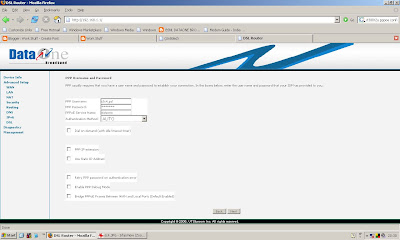
7. In the next screen, make sure "Enable WAN service" is checked. Multicast is optional.

8. In the next screen click "Save"

9. Finally click "Save/Reboot"
After the Router power cycles and the DSL light comes back on, you should find PPPoE UP in the WAN Status.
0. Reset the router to factory settings in case it's been altered significantly.
1. Set up your ethernet interface to have a static ip of 192.168.1.2. Make 192.168.1.1 the default gateway as well as DNS server. Connect ethernet cable to router.
2. Go to the router's config interface at http://192.168.1.1 - by default
username = admin
password = admin.
3. Go to Advanced Setup -> WAN on the left side menu and delete all other interfaces except the one with PPPoE (or delete all and start from scratch)

4. Using Edit if you're not making a new interface with Add, you get the next screen, where you make sure the VPI/VCI are 0 and 35.

5. In the next screen, make sure PPPoE is chosen as connection type, and encapsulation mode is LLC.

6. In the next screen, give your username and password, call the service name dataone, and most importantly, uncheck all the checkboxes, especially the one saying "Bridge PPoE Frames".

7. In the next screen, make sure "Enable WAN service" is checked. Multicast is optional.

8. In the next screen click "Save"

9. Finally click "Save/Reboot"
After the Router power cycles and the DSL light comes back on, you should find PPPoE UP in the WAN Status.
Saturday, September 01, 2007
miscellany
Over the last few days:
1. P's Powerbook G4 65 watt power adapter - seems to be faulty, tho simple multimeter voltage readings show nothing even for the iBook's working 45 watt adapter. The 65 w adapter has a light at the end of the plug which used to light up when they touch the plug tip, it no longer lights up. And no charge indication on the Powerbook either. Apple Bangalore asked for Rs. 2,500 for just testing! Cheaper to buy a new adapter!
2. Some progress on the RadioSai schedule page being written for us by B in php, the schedule not being shown by default was my crib, it turns out it just needed the DefaultStreamId to be set properly in the Constants section. Now maybe we can stuff it with data and do performance tests.
3. Saicast download: not the bandwidth hog we had feared - maybe people are just coming to know about this feature slowly.
4. Nessus audits for our machines, ITC. Also told R about it. Planning on Snort/Tripwire also.
5. Phplist - exporting users and importing - need to first delete blacklisted (meaning unsubscribed) users and also unconfirmed users, since importing auto-confirms. P also reports crashes for importing all 20k+ users, so he's exporting 5k at a time or something like that.
6. R on security implications of ERP software running on JBoss without SSL, ettercap and such. Various ways of making it SSL, like http://freebsdhowtos.com/117.html and also worst case fix of using a remote login with SSH!
7. Lots of Mandir recordings.
8. Video studio recording floor D contemplating
Mackie TT24 and Marian Marc X 24.
9. The Yamaha AW4416 in Mandir is having hard disk problems, I think. Sometimes (when it is hot) doesn't shut down normally, with the hdd light continuously lit, stuck at 'change mode to Song' or 'Save Song'. Maybe formatting the hdd will help?
10. Many cards blown on the Annual Motion slot: Is it due to overheating or is there a short or is there a defect in the cards which came back after repair? Also, down to last spare lamp for Star projector.
1. P's Powerbook G4 65 watt power adapter - seems to be faulty, tho simple multimeter voltage readings show nothing even for the iBook's working 45 watt adapter. The 65 w adapter has a light at the end of the plug which used to light up when they touch the plug tip, it no longer lights up. And no charge indication on the Powerbook either. Apple Bangalore asked for Rs. 2,500 for just testing! Cheaper to buy a new adapter!
2. Some progress on the RadioSai schedule page being written for us by B in php, the schedule not being shown by default was my crib, it turns out it just needed the DefaultStreamId to be set properly in the Constants section. Now maybe we can stuff it with data and do performance tests.
3. Saicast download: not the bandwidth hog we had feared - maybe people are just coming to know about this feature slowly.
4. Nessus audits for our machines, ITC. Also told R about it. Planning on Snort/Tripwire also.
5. Phplist - exporting users and importing - need to first delete blacklisted (meaning unsubscribed) users and also unconfirmed users, since importing auto-confirms. P also reports crashes for importing all 20k+ users, so he's exporting 5k at a time or something like that.
6. R on security implications of ERP software running on JBoss without SSL, ettercap and such. Various ways of making it SSL, like http://freebsdhowtos.com/117.html and also worst case fix of using a remote login with SSH!
7. Lots of Mandir recordings.
8. Video studio recording floor D contemplating
Mackie TT24 and Marian Marc X 24.
9. The Yamaha AW4416 in Mandir is having hard disk problems, I think. Sometimes (when it is hot) doesn't shut down normally, with the hdd light continuously lit, stuck at 'change mode to Song' or 'Save Song'. Maybe formatting the hdd will help?
10. Many cards blown on the Annual Motion slot: Is it due to overheating or is there a short or is there a defect in the cards which came back after repair? Also, down to last spare lamp for Star projector.
posting for posting's sake
Lots of stuff to be put in here, but I need a breather in which to do it. Lots o' audio to be processed, fires which need to be put out, etc etc...
Sunday, August 19, 2007
fiber cut
Our internal fiber was cut at PS by some earthmoving equipment, so I've to use a USB key and sneakernet , walking to the Studio to finish work and access the Net.
Monday, August 13, 2007
Krishna reinstall
Had to reinstall krishna - forced into it by a compromise - so mail and search services were down for a day. Luckily Mandriva 2006 and 2007.1 are not too different, so many apps worked as before with just a copy-paste of the config files. Including the databases.
wordpad corrupts IIS Metabase.xml file
Once again, after my earlier post, had this bad experience. This time even after stopping IIS and then opening the metabase. So, it is definitely wordpad's fault, notepad doesn't corrupt, so use notepad alone for editing metabase.xml. ( %SystemRoot%\System32\Inetsrv\MetaBase.xml )
Saturday, August 04, 2007
copying text from a locked pdf file
1. Used PDF Edit tools from http://www.filehunter.com/ to remove the lock
2. This is shareware, adds watermark text which says
3. Used pdftohtml - http://pdftohtml.sourceforge.net/ - to convert to html
4. Used find and replace in a text editor like kwrite to remove the watermark text after text conversion.
2. This is shareware, adds watermark text which says
THIS IS A DEMONSTRATION
PAGE PRODUCED BY
PDFEditTools
You can order the program at
www.filehunter.com
3. Used pdftohtml - http://pdftohtml.sourceforge.net/ - to convert to html
4. Used find and replace in a text editor like kwrite to remove the watermark text after text conversion.
Subscribe to:
Posts (Atom)